The notes app that turns notes into tasks.
Updot Notes is part of Updot, the iPhone app for your habits, to-do list, reminders, calendar, notes and focus timer. Type it, say it or snap a photo. Updot finds the action items in your notes and suggests them as tasks; nothing is added until you tap.
The to-dos in your notes never leave them.
At 7:25 AM Alex writes down four things for the Brightwater kickoff. In a normal notes app they’d stay in a note he never reopens, while the proposal deadline gets closer.
To-dos buried in text
Updot spots the lines that are jobs and suggests them as tasks. You choose which ones.
Ideas come when you can’t type
Talk, and Updot writes it down. Snap a photo, and it’s a note too.
Notes apart from the work
A note links to its task, so the context is there when the job comes up.
From a quick note to a done task.
- 1
Write it the way you think
The Brightwater Kickoff note: homepage first, then the launch video; send the proposal to James by Friday; ask Ryan for the updated timeline; book the studio.
- 2
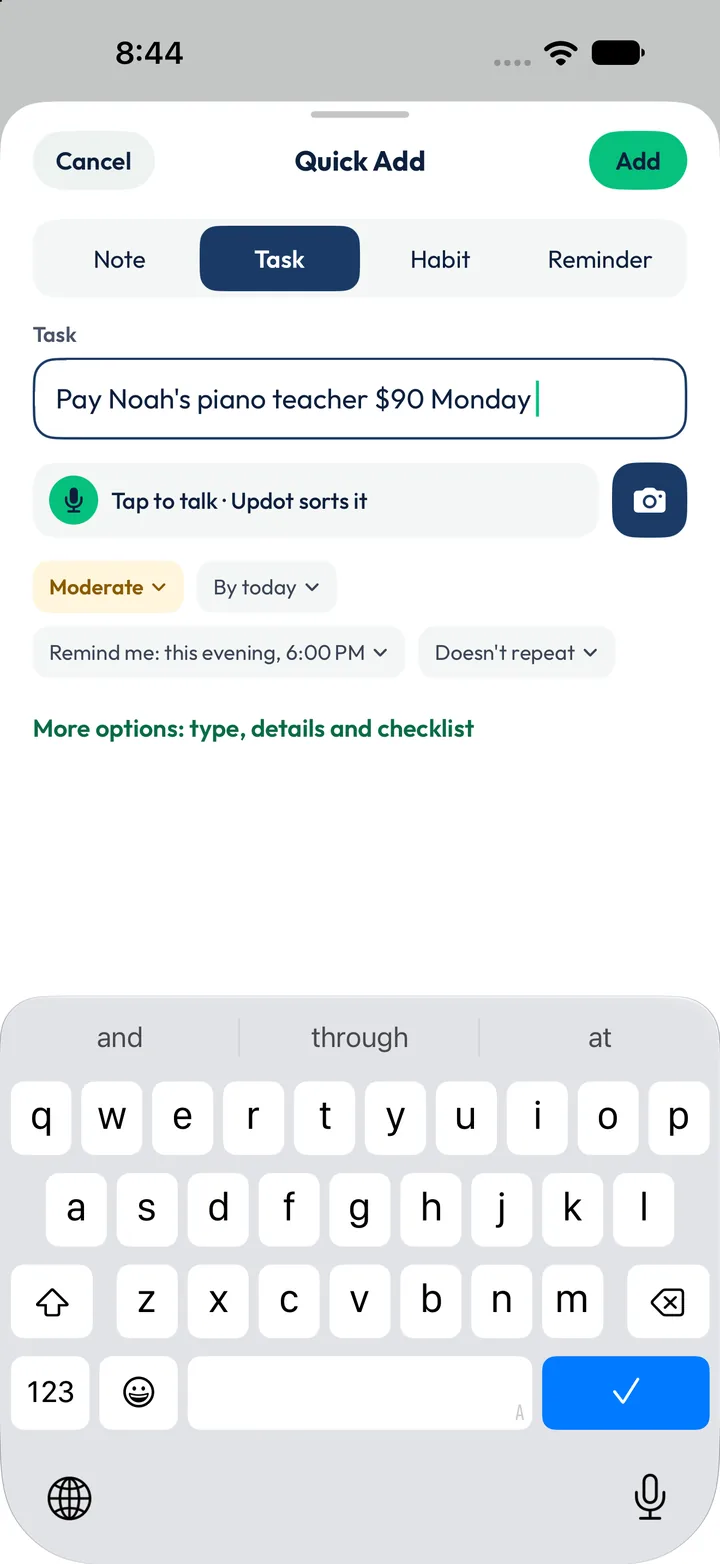
Or say it, or snap it
Quick Add has a Note tab: tap to talk and Updot writes it down, or use the camera. “Ideas from the drive” is a voice note; “Lily’s Dance Recital” is a photo.
- 3
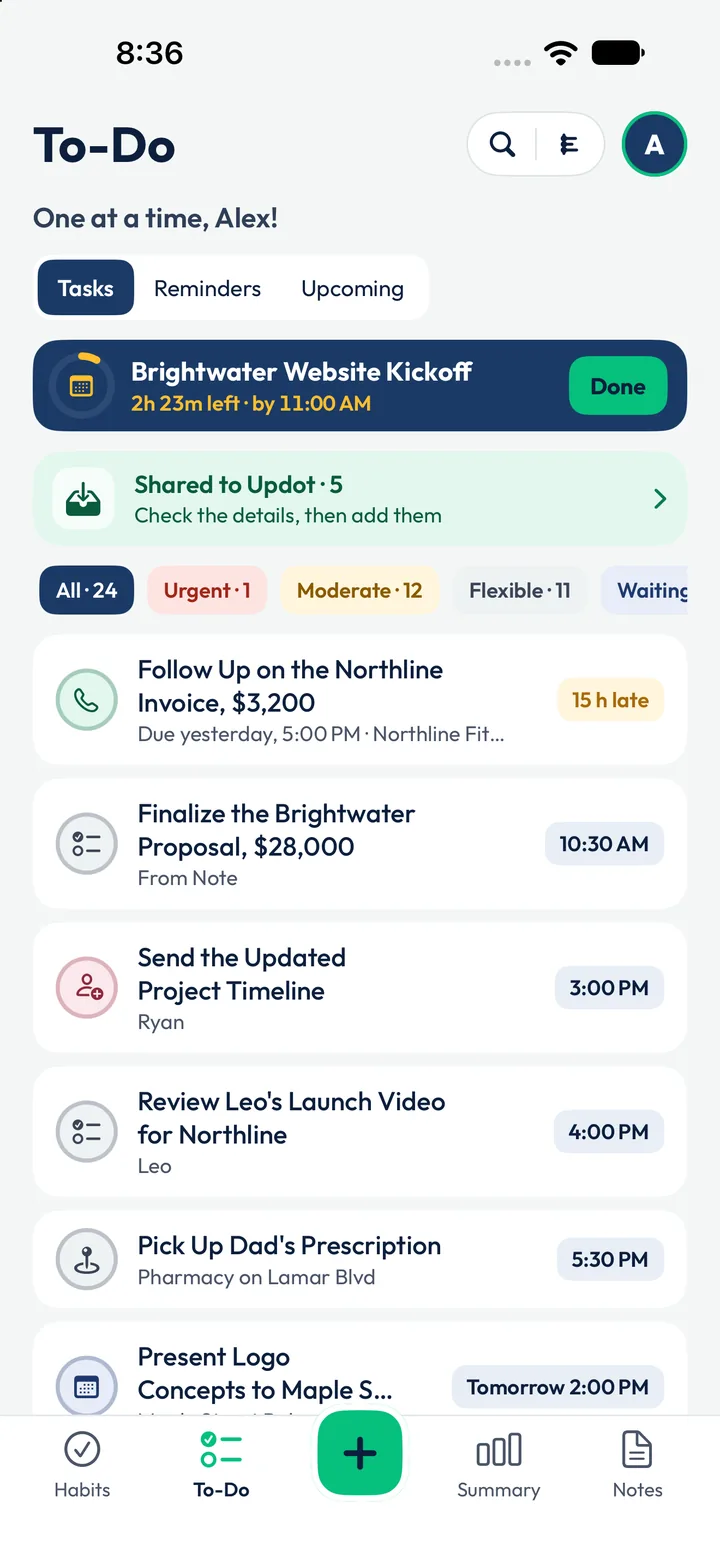
Tap to add the action items
Updot suggests the action items and you choose which become tasks. On the to-do list, the proposal task says “from Note”.
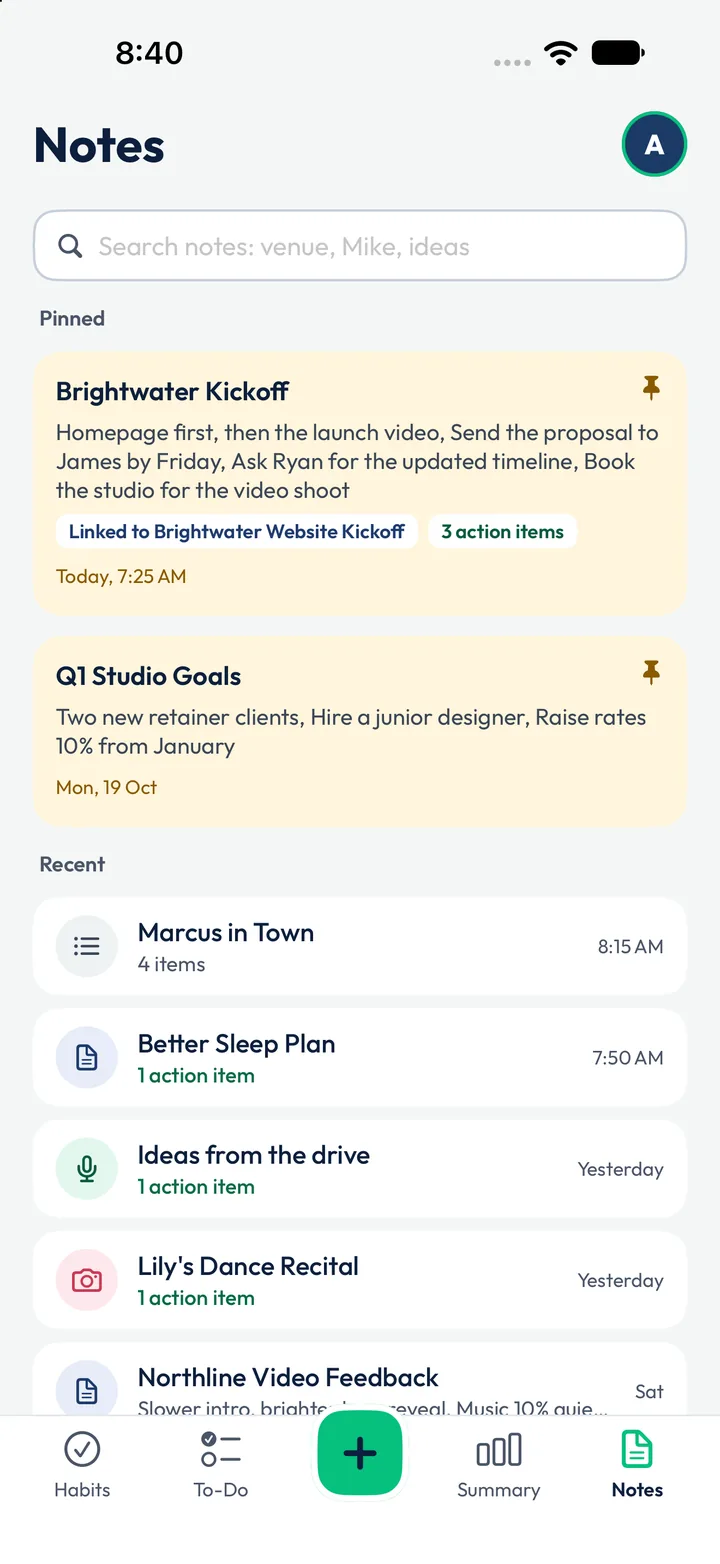
Alex’s notes, pinned and recent.
Typed, spoken and photographed notes sit together, with a count of the action items Updot found in each. Search finds any of them in a second.
- Brightwater KickoffPinned · 3 action items · linked to the kickoff taskPinned
- Q1 Studio GoalsPinned · two new retainer clients, hire a junior designer, raise rates 10%Pinned
- Marcus in Town4 itemsList
- Ideas from the drive1 action itemVoice
- Lily’s Dance Recital1 action itemPhoto
- Better Sleep Plan1 action itemNote
Notes that feed the rest of your day.
Notes become tasks
Tap an action item and it’s on your to-do list, marked “from Note” and linked back.
With a reminder attached
Tasks from notes remind you like any other: the proposal reminds Alex at 10:20 AM.
Context while you focus
Working on the proposal? The kickoff note with James’s ask is one tap away.
Plans that become habits
The Better Sleep Plan note sits next to the Sleep 7 Hours habit Apple Health ticks.
Alex’s Monday, seen from Notes.
The same day runs through all five Updot apps. The rows in full colour started as, or link to, a note. Tap an app to see its side of the day.
- 6:30 AMMorning Walk reminder. Apple Health ticks the walk at 4,860 stepsHabit trackerReminders
- 7:25 AMWrites the Brightwater Kickoff note. Updot finds 3 action itemsNotesTo-do list
- 7:37 AMEmma’s email becomes “Sign the Brightwater Contract”To-do listReminders
- 8:16 AMJames’s WhatsApp becomes the 11:00 AM kickoff, reminder 1 hour beforeRemindersTo-do list
- 9:30 AMWeekly Team Stand-up, every MondayReminders
- 10:00 AMDrink Water is next. 6 of 11 habits already doneHabit tracker
- 10:20 AMReminder: the $28,000 proposal is due at 10:30 AMRemindersTo-do list
- 10:30 AM25 minutes on the proposal, phone down. Other reminders waitFocus timerTo-do list
- 11:00 AMBrightwater Website Kickoff, linked to the morning noteTo-do listNotes
- 3:00 PMSend Ryan the updated project timeline, from the noteTo-do listNotes
- 4:00 PMReview Leo’s launch video for Northline, reminder at 3:50 PMTo-do listReminders
- 5:30 PMPick up Dad’s prescription. A ping near the pharmacy on Lamar BlvdRemindersTo-do list
- 7:30 PMFamily Dinner, No PhonesHabit tracker
- 8:00 PMRemind Dad: Evening Pills, every dayReminders
- 10:15 PMWind Down: Phone on the ChargerRemindersHabit tracker
01How does Updot find action items?+
It reads your note on your iPhone and suggests the lines that are things to do. Nothing is added until you tap to add them to your tasks.
02Can I take voice notes?+
Yes. Tap to talk, and Updot writes it down and finds any action items.
03Can I add a photo to a note?+
Yes. Snap one with the camera button. Alex’s recital note is a photo, with one action item.
04Can a note link to a task?+
Yes. The Brightwater Kickoff note is linked to the Brightwater Website Kickoff task.
05Can I pin and search notes?+
Yes. Pin the ones you use most, and search across text, voice and photo notes.
Let’s rise, one dot at a time.
Leave your email and we’ll send you Updot the day it’s on the App Store.
One email on launch day. No spam, unsubscribe any time.